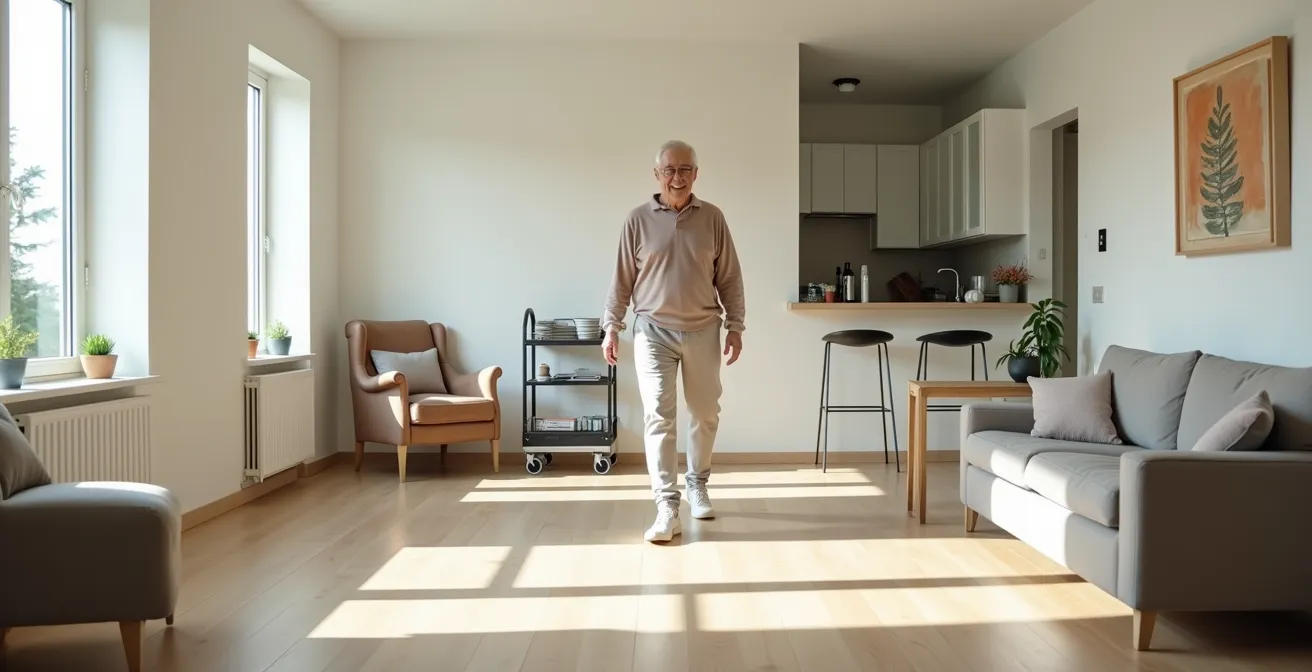
The key to lasting independence isn’t adding gadgets; it’s strategically redesigning your home’s layout to function as an energy-efficient system that supports you.
- Create « Command Centers » with daily essentials to drastically reduce fatiguing trips across rooms.
- Apply an ergonomic 3-tier storage system to eliminate dangerous reaching and bending for heavy items.
Recommendation: Start by analyzing one room—your bedroom or kitchen—and identify one repetitive task you can simplify through better object placement, not by adding more things.
The desire to remain independent in your own home is a powerful motivator. Often, the conversation about « aging in place » quickly turns to a familiar list of solutions: install grab bars, remove throw rugs, and improve the lighting. While these are valid safety measures, they only address the most obvious symptoms of a deeper issue. They are reactive additions to a space, not a fundamental rethinking of the space itself. This approach often overlooks the most significant factor that erodes autonomy: the slow, daily drain of physical and mental energy caused by an inefficient home layout.
The real challenge isn’t just preventing falls; it’s preventing the fatigue and frustration that lead to a decreased will to move and engage. What if the secret to lasting independence wasn’t about adding more equipment, but about orchestrating your environment with the precision of a designer? The key is to stop thinking about your home as a collection of rooms and start seeing it as a system of « energy conservation zones. » This shift in perspective transforms your living space from a potential obstacle course into your greatest ally for self-sufficiency.
This guide will walk you through a series of spatial strategies, moving beyond the generic advice to provide a blueprint for reclaiming your home. We will explore how to analyze your storage, create workflows that save energy, navigate the challenge of sentimental clutter, and leverage simple technology to put you in control. It’s time to design a home that works for you, not against you.
To help you navigate these transformative concepts, this article is structured to build from foundational principles to advanced applications. The summary below outlines the key areas we will cover, providing a clear roadmap to redesigning your space for lasting independence.
Summary: A Strategic Guide to Designing Your Home for Lasting Autonomy
- Why Storing Heavy Items High Up Is the Quickest Way to Lose Independence?
- How to Create « Command Centers » in Each Room to Reduce Walking Fatigue?
- The « Sentimental Clutter » Error That Blocks Walker Access
- Galley vs U-Shape: Which Kitchen Layout Supports Wheelchair Use Better?
- How to Use Smart Plugs to Manage Appliances Without Getting Up?
- Why Standard Rollators Get Stuck in Older Apartment Doorways?
- How to Reframe Hiring Help as « Outsourcing » Rather Than « Dependence »?
- How to Hack Your Daily Routine to Maintain Independence With Limited Energy?
Why Storing Heavy Items High Up Is the Quickest Way to Lose Independence?
The conventional wisdom of « a place for everything and everything in its place » can become a hidden threat to independence when not guided by ergonomics. Storing heavy or frequently used items on high shelves or in deep lower cabinets forces you into precarious movements: stretching, reaching, and balancing on step stools. Each of these actions is a roll of the dice, significantly increasing the risk of a fall. The stakes are high, as over one out of four older adults fall each year, a statistic that underscores the urgency of proactive design.
This isn’t just about a single moment of risk. The cumulative effect of these daily, strenuous movements drains your energy reserves. When retrieving a heavy pot or a bag of flour requires a significant physical effort, you’re less likely to cook a nutritious meal. This creates a vicious cycle where poor spatial design leads to energy depletion, which in turn discourages the very activities that maintain health and independence. The goal is to design a storage system where the most-used items are presented to you with minimal effort.
The solution lies in applying a « Power Zone » principle to your entire home. This zone, extending roughly from your shoulder to your knee height, is where your body has the most strength and control with the least amount of strain. By reorganizing your belongings to place all heavy and frequently-used items within this Power Zone, you eliminate the most dangerous and fatiguing movements from your daily routine. This simple act of spatial reorganization is one of the most powerful steps you can take to secure your long-term autonomy.
How to Create « Command Centers » in Each Room to Reduce Walking Fatigue?
Walking is excellent for health, but unnecessary trips back and forth across a room are a major source of energy depletion. How many times have you settled into your favorite armchair, only to realize your reading glasses, the phone, or a glass of water is in another room? Each trip is a small withdrawal from your daily energy bank. The strategic answer is to design « Command Centers »—small, hyper-organized zones where all necessary items for a specific activity are within arm’s reach.
Think of your bedside table, your favorite reading chair, or the area next to your kitchen prep space. These are prime locations for a command center. A well-designed center isn’t about clutter; it’s about curated efficiency. For example, a multi-tiered rolling cart can serve as a mobile command center, holding medications, water, reading materials, and chargers. It can be positioned beside the bed at night and then rolled next to your armchair during the day. This simple system dramatically reduces the need for dozens of small trips, conserving your energy for more meaningful activities like hobbies or socializing.

As the image above illustrates, a bedside command center is a perfect example of this principle in action. By placing essentials like water, medication, a lamp, and a phone on an organized nightstand, you create a self-sufficient hub. This design philosophy transforms a simple piece of furniture into an active tool for independence. The goal is to anticipate your needs and co-locate the tools required to meet them, effectively eliminating the friction of movement and preserving your stamina throughout the day.
The « Sentimental Clutter » Error That Blocks Walker Access
A lifetime of memories is often embodied in physical objects: furniture, collections, and mementos. While these items bring joy and a sense of history, they can inadvertently become dangerous obstacles. The « sentimental clutter » error occurs when cherished possessions block essential pathways, creating trip hazards and making it impossible to navigate with a walker or wheelchair. Maintaining a clear, accessible path isn’t just a matter of tidiness; it’s a non-negotiable requirement for safety and mobility. For comfortable walker navigation, pathways must be at least 36 inches wide, with 42 inches being ideal for turning.
The challenge is emotional. Parting with these items can feel like parting with the memories themselves. However, the goal is not to eliminate sentimental items but to curate them strategically. This involves reframing the problem from « getting rid of things » to « designing a personal gallery. » You can preserve and honor your memories while reclaiming your space. Techniques like creating dedicated « Legacy Shelves, » wall-mounting items, or digitizing photos allow you to enjoy your history without compromising your future mobility.
Another powerful strategy is « Rotational Curation. » Instead of displaying everything at once, choose a few meaningful items to feature seasonally. This not only keeps walkways clear but also allows you to appreciate each item more fully when it’s on display. By taking an active, curatorial approach, you transform a cluttered space into a safe, functional, and deeply personal environment.
Action Plan: Triage for Sentimental Items
- Assess if an item blocks walker/wheelchair paths (36-inch minimum clearance needed).
- If it blocks access, determine if it can be wall-mounted or placed on a dedicated « Legacy Shelf. »
- Consider digital preservation—scan photos and create digital albums viewable on a tablet.
- Implement « Rotational Curation » by displaying 3-5 items seasonally and storing others safely.
- Gift meaningful items to family members now, allowing you to see them enjoyed.
Galley vs U-Shape: Which Kitchen Layout Supports Wheelchair Use Better?
The kitchen is often called the heart of the home, but for someone using a wheelchair, it can be the most challenging room to navigate. The layout of the counters and appliances—the kitchen’s fundamental spatial DNA—determines its accessibility. Two common layouts, the Galley and the U-Shape, present very different experiences for a seated user. Understanding their pros and cons is crucial for either remodeling or choosing a home.
A Galley kitchen, with two parallel counters, offers a linear workflow. Its primary advantage is that it can function in a narrower space. However, it requires a user to exit the kitchen entirely to turn around, which can be inefficient. A U-shaped kitchen, on the other hand, can function like a compact cockpit, with everything accessible from a central point. This is highly efficient, but only if the base of the « U » is wide enough to accommodate a full 360-degree turn for a wheelchair, which typically requires a five-foot clearance. This detailed comparison from an analysis of floor plans for seniors highlights the trade-offs.
| Feature | Galley Kitchen | U-Shape Kitchen |
|---|---|---|
| Minimum Width Required | 4 feet (5 feet optimal) | 5-foot base width minimum |
| Turning Radius | Must exit to turn | Can turn within if properly sized |
| Work Triangle Efficiency | Linear workflow | Compact cockpit design |
| Counter Access | Both sides reachable | Three sides if centered properly |
| Modification Cost | Lower – mainly widening | Higher – may need base cabinet removal |
Beyond the layout, counter height is a critical factor. As noted in universal design guidelines, the standard 36-inch counter height is too high for most seated users, for whom 30-32 inches is ideal. A truly accessible kitchen often incorporates multi-level countertops, providing a lower, seated-height workspace. Ultimately, the « better » layout depends on the available space and budget, but a well-proportioned U-shape often provides a superior, more contained working environment for wheelchair users.
How to Use Smart Plugs to Manage Appliances Without Getting Up?
One of the most significant energy drains is the simple act of getting up to turn something on or off. A smart plug is a small, inexpensive device that plugs into a standard outlet, allowing you to control whatever is plugged into it with your voice or a smartphone. This simple technology can be a game-changer for conserving energy and maximizing control from a seated position. It transforms passive appliances into active, responsive parts of your environment.
The key is a prioritized implementation. Start with lighting. Connecting lamps to smart plugs allows you to create « lighting zones » that can be turned on or off with a simple voice command, eliminating the need to walk to each lamp. The next priority is climate control—fans and portable heaters—which can be managed without getting up and can be set on timers for safety. From there, you can automate daily routines, like having the coffee maker start automatically in the morning.
As documented by AARP, this technology empowers seniors by creating automated « routines. » A single « Good Morning » command can turn on a lamp, start the coffee maker, and adjust the thermostat. According to their research, smart home systems can be synchronized to manage everything from locks to lights, profoundly transforming the daily experience by conserving energy for more important activities. It’s about outsourcing the effort of « on » and « off » to technology, keeping you in the driver’s seat.
- Priority 1 – Lighting: Connect all lamps to create voice-activated lighting zones.
- Priority 2 – Climate Control: Use smart plugs for fans and portable heaters with automatic shut-off timers.
- Priority 3 – Daily Routine Appliances: Automate the coffee maker and kettle for your morning routine.
- Priority 4 – Safety-Risk Appliances: Control irons or slow cookers with mandatory auto-shutoff features.
- Priority 5 – Entertainment: Manage your TV and radio by voice, eliminating the hunt for remotes.
Why Standard Rollators Get Stuck in Older Apartment Doorways?
For many, a rollator is a key to freedom, providing the stability needed to move confidently. Yet, this symbol of mobility can be rendered useless by a simple architectural mismatch: the doorway. In many older homes and apartments, particularly those built before the 1980s, interior doorways are narrower than modern standards. This creates a critical bottleneck where a standard-width rollator simply cannot pass through.
The numbers tell the story. According to aging-in-place specialists, standard rollators are 25-29 inches wide, while older interior doors can be as narrow as 24-28 inches. That tiny overlap of an inch, or even less, is enough to bring mobility to a halt, creating immense frustration and effectively trapping a person in one room. This spatial conflict turns a tool of independence into a source of confinement, highlighting how crucial it is to measure both your equipment and your environment.
While the most comprehensive solution is to structurally widen the doorways to a minimum of 36 inches, this can be costly and invasive. Fortunately, there is a brilliant, low-cost hack: offset hinges. These special hinges are designed to swing the door completely clear of the doorframe when opened. This simple hardware change can add up to 2 precious inches of clearance to a doorway, often for less than $20 per door. Compared to the hundreds or thousands of dollars required for structural widening, offset hinges represent a powerful and accessible solution to one of the most common barriers to in-home mobility.
How to Reframe Hiring Help as « Outsourcing » Rather Than « Dependence »?
The decision to bring help into the home is one of the most emotionally charged moments in the journey of aging. For many, it feels like an admission of defeat—the final step in losing one’s independence. This perception is the single biggest barrier to getting necessary support. The solution is not to fight this feeling, but to reframe it. Instead of viewing it as « dependence, » think of it as « strategic outsourcing. »
CEOs and busy executives outsource tasks all the time. They don’t do it because they are incapable; they do it to conserve their time and energy for the things that matter most. Adopting this mindset is an act of executive control. You are not giving up your authority; you are delegating low-value or high-energy tasks so you can focus on what brings you joy and fulfillment. As one social worker eloquently puts it in « Embracing Independence: A Guide to Aging in Place »:
As we begin to lose control of other aspects of our life, staying in our home says, ‘I can accept help, but I am still running the show’
– Social Worker, Embracing Independence: A Guide to Aging in Place
To implement this, create a « Task Value Matrix. » Analyze your daily and weekly activities based on two criteria: the energy they cost you and the personal enjoyment you get from them. Tasks that are high-energy and low-enjoyment (like scrubbing floors or heavy yard work) are prime candidates for outsourcing first. Tasks that you enjoy and that don’t drain you (like cooking a favorite meal or tending to potted plants) are the ones you keep. This turns the decision from an emotional one into a strategic one.
| Task Category | Energy Cost | Personal Enjoyment | Outsourcing Priority |
|---|---|---|---|
| Heavy housework (floors, bathrooms) | High | Low | Outsource First |
| Grocery shopping/carrying | High | Low | Outsource First |
| Cooking favorite meals | Medium | High | Keep In-House |
| Reading/hobbies | Low | High | Keep In-House |
| Yard maintenance | High | Variable | Consider Outsourcing |
Key Takeaways
- True independence comes from designing an energy-efficient home layout, not just adding safety gadgets.
- Creating « Command Centers » for daily activities drastically reduces walking fatigue and conserves energy.
- Strategic thinking, from managing clutter to outsourcing tasks, is an act of control, not a sign of dependence.
How to Hack Your Daily Routine to Maintain Independence With Limited Energy?
Maintaining independence with limited energy is like managing a budget. You have a finite amount of energy « currency » to spend each day, and once it’s gone, it’s gone. The key to success is not trying to increase the budget, but to become a brilliant manager of it. This means hacking your daily routine by understanding your personal energy patterns and front-loading tasks to prepare for the next day.
A powerful framework for this is the « Spoon Theory. » Imagine you start each day with a set number of spoons, with each spoon representing a unit of energy. A shower might cost three spoons, cooking a meal two spoons, and a social call one spoon. By mentally assigning costs to your activities, you can plan your day to avoid « running out of spoons » and hitting a wall of exhaustion. This involves scheduling high-energy tasks, like appointments or major chores, during your personal peak energy period (for many, this is mid-morning, from 10 am to noon).
The other half of the equation is the « Ready for Tomorrow » routine. This is a short, 15-minute ritual you perform each evening to set your future self up for success. By preparing things the night before, when you may have a small reserve of energy left, you make the next morning—often a time of low energy—significantly easier. This simple routine of laying out clothes, preparing the coffee maker, and setting out medications eliminates decision fatigue and physical effort when you can least afford it. It’s a gift of energy you give to your future self, ensuring a smoother, more independent start to every day.
By integrating these spatial and routine-based strategies, you are not just modifying a house; you are designing a personalized ecosystem for independence. The next logical step is to begin a small-scale audit of your own space, using these principles as your guide.
Frequently Asked Questions About Home Design for Mobility
How wide should pathways be for walker access?
Pathways must be at least 36 inches wide for comfortable walker navigation, though 42 inches is ideal for turning radius.
Can I keep my collections without compromising safety?
Yes, by using vertical display cases, rotating displays seasonally, or creating a dedicated gallery wall that doesn’t intrude into walkways.
What’s the best way to preserve memories without keeping physical items?
Create digital photo books, record video stories about special items, or photograph collections before gifting them to family members.